
Royal Farms Rewards
PAR RetailFood & Drink
4.83.83K Reviews
- Version
- 26.5.0
- Installs
- 500.00K
- Age Rating
- Everyone
Screenshots
Our Review of Royal Farms Rewards
 Analysis by Appyee
I approached Royal Farms Rewards as the sort of app you open for a practical reason rather than to browse for entertainment. It belongs in the Food & Drink category, is free to use, and is developed by PAR Retail. My first impression was that its value depends less on spending time inside the app and more on building a simple habit around visits to Royal Farms. When that habit fits your routine, it can make rewards easier to manage. When it does not, the app can feel like one more account to remember.
The app has been available since January 3, 2017, and its current version is 26.5.0. It is intended for Everyone and requires at least OS 9, which makes it accessible to many older devices as well as newer phones. Its average rating is 4.8 from around 20,000 ratings, with roughly 3,800 written reviews, and it has passed 500,000 installs. Those figures suggest that it has found a substantial audience, but they do not remove the need to decide whether its routine matches the way you shop.
Using the app as part of a normal Royal Farms visit
The most useful baseline workflow is deliberately simple: open the app before or during a visit, check what is available, make the purchase in the way the program expects, and then return later to review the result. I would not treat it as a general restaurant-discovery tool or as a replacement for a broader payment wallet. Its purpose is narrower, and that is a strength when you want a focused place for Royal Farms Rewards rather than a crowded collection of unrelated tools.
For a regular customer, the important change is behavioral. Instead of remembering rewards only after getting home, I found it more reliable to check the app before deciding what to buy. That small step helps prevent the common mistake of making a purchase first and only afterward wondering whether an available reward could have influenced the order. It also gives the app a clear role in the visit instead of leaving it unused between occasional launches.
A realistic example is a weekday fuel stop. I might already be planning to visit Royal Farms, so I open the app while parked or before leaving home. I look at the current reward information, decide whether anything fits the purchase I was going to make anyway, and then complete the visit. Later, I check the account rather than assuming that every action was recorded exactly as I expected. This takes little effort, but it creates a repeatable loop that is more dependable than trying to reconstruct several visits at the end of the month.
I also recommend separating two decisions: what you genuinely need and what the app happens to show. Rewards are most useful when they support an existing purchase. If a promotion encourages you to buy something you would not otherwise choose, the convenience can disappear quickly. That is one of the first trade-offs I noticed. The app can make a planned stop feel more organized, but it should not become the reason for unnecessary spending.
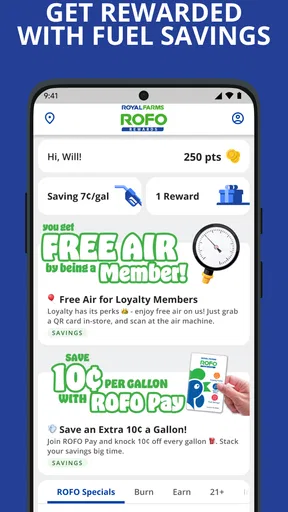
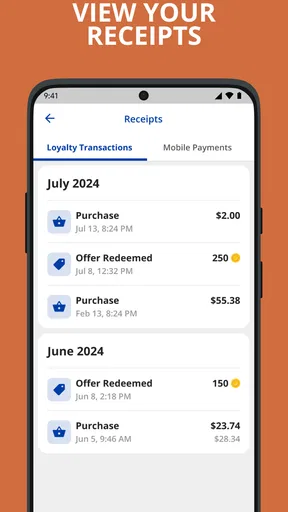
The account view is most valuable as a record of activity. I use it to confirm that a visit or reward-related action has been reflected, rather than relying on memory. This is especially helpful for people who make several short stops during a busy week. A quick review after the transaction can identify a problem while the details are still fresh, which is much easier than trying to remember the location, time, and items much later.
There is also a practical distinction between browsing and acting. Browsing can be done anywhere, but the useful moment is close to the purchase. If I check rewards too early, I may forget what I saw. If I wait until after paying, I may miss the chance to use something relevant. My preferred compromise is a short check immediately before the visit, followed by a confirmation afterward. That two-step habit is more effective than repeatedly opening the app without a clear purpose.
Settings and account checks that prevent avoidable friction
I would begin by checking the account details and making sure I am signed in to the account I actually intend to use. This sounds obvious, but rewards apps become confusing when a person has more than one login, changes phones, or creates an account in a hurry. The safest workflow is to settle the account question before relying on the app during a purchase. That avoids treating a successful app launch as proof that the correct rewards profile is active.
Next, I would review the app’s available settings and notification choices without enabling everything automatically. Notifications can be useful when they remind you to check relevant reward information, but too many alerts turn an occasional convenience into background noise. I prefer a selective approach: keep reminders that support planned visits and ignore anything that encourages constant checking. The best setting is the one that helps you remember the app at the right time, not the one that produces the most messages.
Phone permissions deserve the same practical attention. I would allow only what makes sense for the way I use the app and revisit those choices if my routine changes. There is no benefit in granting access simply because an app requests it during setup. On the other hand, refusing every optional capability without considering the workflow can make the experience less convenient. My rule is straightforward: approve a permission only when I understand how it helps with a task I actually perform.
It is worth checking whether the app is current before judging a problem too quickly. The installed version is 26.5.0, and updates can change screens, improve compatibility, or alter the way a particular action is presented. I would not update immediately before an important purchase if the phone is short on time or storage. Instead, I prefer to update when I can open the app afterward and make sure that the account, rewards view, and normal visit routine still look familiar.
Another useful habit is keeping the phone ready before entering a busy store. I do not mean leaving the app open all day. I mean avoiding a last-second setup when there is a line behind me or poor reception inside the building. Opening the app before walking in gives it time to load and lets me deal with sign-in issues privately. That is a small operational detail, but it makes the difference between a calm checkout and a rushed attempt to find the right screen.
The app is free, which removes the barrier of a purchase price, but free does not mean effortless. The real cost is attention: remembering the account, checking the app at a useful moment, and verifying that the expected result appears. I think that is a fair exchange for a frequent customer, while an occasional visitor may decide that the mental overhead is not worthwhile. The right question is not whether the app costs money; it is whether your visit pattern gives the routine enough value.
Faster patterns for people who visit regularly
Experienced use comes from reducing decisions. I would create a personal sequence and repeat it: check before leaving, review only the relevant reward information, complete the purchase, and confirm the account afterward. Once that sequence becomes familiar, the app stops feeling like a separate project. This is more efficient than exploring every screen on every visit, especially when you already know what you usually buy.
A useful shortcut is to check at a natural trigger, such as starting the car for a planned stop or adding Royal Farms to an existing errand route. The trigger matters because memory is unreliable when the app is not part of the journey. I would not set an arbitrary daily reminder if I visit only occasionally. Instead, I would attach the check to an event that already happens. This keeps the routine relevant and reduces unnecessary notifications.
For repeat purchases, I would compare the available reward with the item I was already going to choose, not with every possible item in the store. That narrows the decision and avoids spending too long browsing. If nothing fits, I would simply continue with the planned purchase. A reward app should save effort, not turn a quick stop into a research session.
I also found it helpful to review the account at a consistent point after the visit. Some people may prefer doing this while still in the parking area; others may wait until they get home. The important part is consistency. A regular check gives you a chance to notice whether the transaction was reflected and prevents several uncertain visits from accumulating. It also makes support conversations clearer if you ever need to explain what happened.
Another advanced but realistic pattern is using the app as a planning aid for a group order or family errand. If several people are deciding what to buy, one person can check the available rewards before the group leaves. This does not guarantee that every purchase will qualify, so I would still confirm the details in the app and avoid assuming that combining unrelated actions will produce an extra benefit. The advantage is simply that the group makes one informed decision instead of several people checking independently at the counter.
I would also avoid keeping multiple reward apps open while shopping. Comparing Royal Farms Rewards with a bank wallet or another store program can be useful before the trip, but switching between several systems at checkout creates confusion. Decide in advance which account and payment method you intend to use. That preparation is particularly helpful when you are in a hurry, because the app itself cannot compensate for choosing the wrong account or forgetting the intended sequence.
For users who care about privacy and battery life, the efficient pattern is also the restrained one. Open the app when it serves a purpose, review the settings occasionally, and close the loop after the visit. There is no reason to keep checking throughout the day simply because a reward program exists. I prefer deliberate use: fewer launches, better timing, and a clear reason for each visit to the app.
Where the experience has limits
The biggest limitation is that this is a focused loyalty tool, not a universal food-shopping assistant. If you divide your spending among many stores, restaurants, and fuel brands, Royal Farms Rewards will cover only one part of your routine. A general payment wallet may be more convenient for someone who wants one place to manage transactions, while a broad coupon service may suit a person who compares many retailers. I would choose this app for loyalty at Royal Farms, not for an all-purpose savings system.
The app also depends on timing and user attention. A reward that is visible before a purchase is more useful than one discovered afterward, and an account that is not checked can leave you uncertain about what happened. That does not make the app defective, but it means the benefits are not entirely passive. People who want every reward to be applied automatically without checking anything may find the experience less satisfying.
Connectivity and the physical checkout environment can create friction too. A slow connection, a crowded store, or a phone with a nearly empty battery can make a simple task feel complicated. My advice is not to depend on the app as the only proof of what you intend to do. Keep the visit simple, open the relevant screen early, and allow enough time to resolve a sign-in or loading issue. If a reward is important to your decision, verify it before committing to the purchase rather than assuming that the final step will be effortless.
I would also be cautious about interpreting every account change immediately. If the display does not look as expected after a transaction, first check that you used the intended account and that the app has had time to refresh. Repeating the purchase or making another change in frustration can make the situation harder to understand. A calm sequence—review the account, confirm the transaction details, then seek help through the appropriate channel if necessary—is safer than experimenting at the register.
Older phones may be supported because the minimum requirement is OS 9, but support alone does not guarantee a perfect experience on every device. Screen size, available storage, connection quality, and background activity can all affect how comfortable the app feels. I would particularly recommend testing it before relying on it during a busy trip if your phone is older or frequently runs out of space. The free price makes trying it easy, but your device still determines much of the day-to-day smoothness.
The age rating of Everyone makes the app broadly approachable, but that should not be confused with universal usefulness. A family member who rarely visits Royal Farms may have no reason to maintain an account. Conversely, a frequent customer who dislikes notifications or does not want another digital loyalty profile may prefer to keep purchases simple. The app is strongest when the user has a clear, repeated reason to return.
My verdict after building a repeatable routine
After using it as a practical companion to planned visits, I see Royal Farms Rewards as a worthwhile free app for regular Royal Farms customers who are willing to spend a few seconds checking the account at the right moments. Its strongest quality is focus. It keeps the rewards relationship tied to one retailer instead of burying it inside a larger shopping platform, and that makes the basic workflow easy to understand once the habit is established.
I would recommend installing it if you already stop at Royal Farms often enough to remember a simple routine. Check before the visit, make choices based on purchases you genuinely planned, and confirm the account afterward. Those three actions deliver more value than browsing every screen or reacting to every notification. They also protect you from the most common frustration: expecting the app to do all the remembering while never checking whether the account reflects the visit.
I would skip it if your visits are rare, you spread purchases across many retailers, or you strongly prefer not to manage separate loyalty accounts. In those cases, a general payment wallet or a broader rewards service may fit your life better, even if it cannot provide the same Royal Farms focus. The app is not a replacement for every alternative in the Food & Drink space; it is a specialized option for a specific shopping pattern.
My final judgment is positive but measured. The high average rating and large installed audience show that many people find the service useful, and my own experience supports that when the workflow is intentional. The real advantage is not constant interaction; it is a small, repeatable habit that makes planned Royal Farms visits easier to manage. If that sounds like your routine, the free download is easy to justify. If not, the app may simply add another step to a shopping trip that already works well without it.
Verdict
Strengths of Royal Farms Rewards
- Earn points on eligible purchases and redeem them for useful rewards.
- Mobile ordering can make pickup faster at participating Royal Farms locations.
- The app keeps digital receipts and reward activity in one convenient place.
- Exclusive member offers may help regular Royal Farms customers save money.
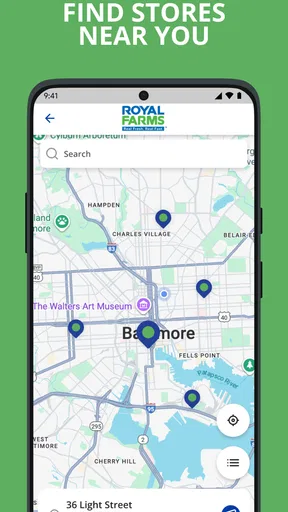
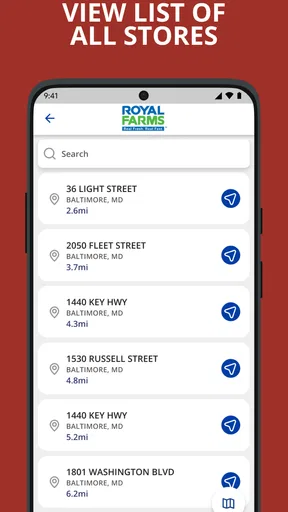
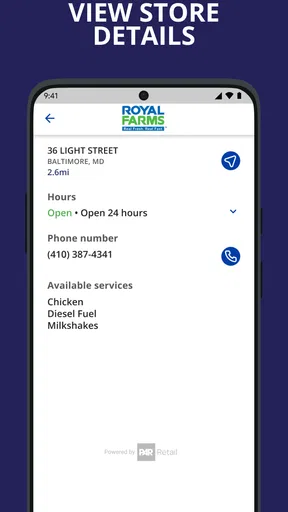
- Store-finder tools make it easier to locate nearby Royal Farms locations.
Limitations of Royal Farms Rewards
- Benefits are limited if there are few Royal Farms stores in your area.
- Some rewards and promotions may have expiration dates or usage restrictions.
- App features can vary depending on your location and participating store.
- You may need to scan or identify your account correctly to receive points.
- Frequent notifications and promotional messages may feel intrusive to some users.
Other Releases by PAR Retail
View All
Marathon Rewards
Auto & Vehicles4.8

Jacksons Let's Go Rewards
Food & Drink4.8

Yesway & Allsup’s Rewards
Auto & Vehicles4.8

ARCO Rewards
Auto & Vehicles4.8
Similar Picks in This Category
View All
Rappi: Food Delivery, Grocery
Rappi, Inc - Delivery3.5

McDonald’s: Cupons e Delivery
Arcos Dorados4.3

Swiggy: Food Instamart Dineout
Swiggy4.7

Blinkit: Groceries & more
Blinkit4.8

foodpanda: food & groceries
Foodpanda GmbH a subsidiary of Delivery Hero SE4.0

Zomato: Food Delivery & Dining
Zomato4.7
Frequently Asked Questions
What is Royal Farms Rewards, and how does it work?
Royal Farms Rewards is the loyalty program connected to Royal Farms stores and its mobile app. After creating an account, you can earn points on eligible purchases, view available rewards, receive promotional offers, and manage your membership from your phone. The exact benefits may vary by location, account status, and current program rules, so checking the latest terms before making a purchase is recommended.
How do I earn points with the Royal Farms Rewards app?
Points are generally earned by identifying your Royal Farms Rewards account when purchasing qualifying products at participating stores. Depending on the promotion, this may involve scanning the app, using a linked phone number, or following instructions shown at checkout. Not every item or transaction is necessarily eligible, and special offers can have limits, expiration dates, or additional requirements.
Can I redeem Royal Farms Rewards points for free products or discounts?
Yes, accumulated points may be used for rewards or discounts when you meet the applicable redemption requirements. Available rewards are normally displayed in the app or associated with your account, while some offers may be automatically applied at checkout. Before redeeming, review the reward’s expiration date, eligible products, store restrictions, and any purchase conditions to avoid surprises.
Does Royal Farms Rewards cost anything to join or use?
Joining Royal Farms Rewards is generally free, although you may need to provide basic information such as an email address, phone number, or other account details. The app itself may be downloaded without a membership fee, but normal mobile data charges can apply. Purchases are still required to earn points, and certain promotions may include separate terms or exclusions.
What should I know about privacy, app permissions, and account security?
When you use Royal Farms Rewards, the app may request permissions related to notifications, location, camera access for scanning, or account management. These permissions can support store finding, offer alerts, and reward tracking, but you can review or change many of them through your device settings. Use a secure password, keep the app updated, and read the current privacy policy before registering.
